
UI Library
Alert
A confirm / cancel dialog. Blocking: the export waits for the player and returns their answer, so it must be called from a thread.
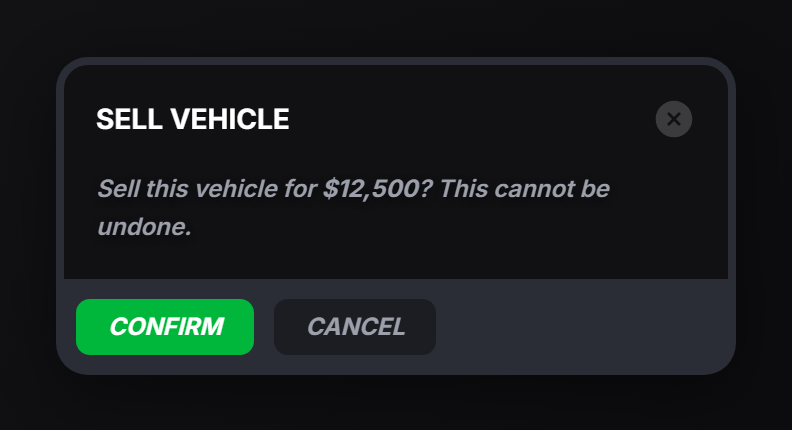
alert
local answer = exports.of_ui:alert(data, timeout)| Field | Type | Description |
|---|---|---|
header | string | Dialog title. |
content | string | Body text. Markdown is rendered. |
size | string? | xs, sm, md, lg, xl. |
cancel | boolean? | Show a cancel button next to confirm. Without it the dialog is a notice with one button. |
labels | table? | { confirm?: string, cancel?: string }: override the button text. |
| Argument | Type | Description |
|---|---|---|
timeout | number? | of_ui: auto-close after this many milliseconds. |
Returns 'confirm', 'cancel', or nil when the dialog was closed some other way.
CreateThread(function()
    local answer = exports.of_ui:alert({
        header = 'Sell vehicle',
        content = 'Sell this vehicle for **$12,500**? This cannot be undone.',
        cancel = true,
    })

    if answer == 'confirm' then
        TriggerServerEvent('myresource:sellVehicle')
    end
end)
closeAlert
exports.of_ui:closeAlert(reason)Closes the open dialog from code: a timer expiring, the player driving away, a job ending.
| Argument | Type | Description |
|---|---|---|
reason | string? | of_ui: rejects the waiting alert call with this string instead of resolving it to nil. |
Without a reason the pending alert returns nil. With one it raises an error in the waiting thread, so wrap the call if you use it:
CreateThread(function()
    -- auto-closes with reason 'timeout' after 10s
    local ok, answer = pcall(function()
        return exports.of_ui:alert({
            header = 'Accept the job?',
            content = 'The dispatcher is waiting.',
            cancel = true,
        }, 10000)
    end)

    if not ok then
        print('dialog closed early:', answer) -- 'timeout'
        return
    end

    if answer == 'confirm' then ... end
end)
Notes
-
One dialog at a time. Calling
alertwhile another is open returnsnilimmediately instead of queuing. -
Notices. Leave
cancelout for a one-button acknowledgement:exports.of_ui:alert({ header = 'Notice', content = 'The garage is closed.', size = 'sm' }) -
From the server, trigger the
of_ui:alertclient event. The answer stays on the client: if you need it back, send it yourself:TriggerClientEvent('of_ui:alert', source, { header = 'Warning', content = 'Last chance.' })