
Text UI
A prompt pinned to a screen edge, showing what the player can press. Non-blocking: you show it when the player enters a zone and hide it when they leave.
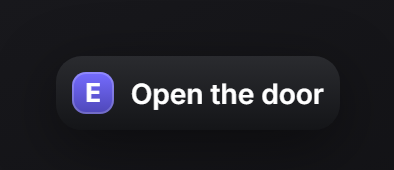
showText
exports.of_ui:showText(data)
exports.of_ui:showText('Open the door') -- shorthand: text only| Field | Type | Description |
|---|---|---|
description | string? | The label. text is accepted as an alias. |
keys | string? | Key cap drawn after description. Together they form one action. |
actions | table[]? | Full form: several label + key pairs in one prompt. See below. |
title | string? | of_ui: heading above the actions. Implies the stack layout. |
layout | string? | of_ui: inline (one row, default) or stack (vertical list). |
position | string? | right-center, left-center, top-center, bottom-center. Theme decides when omitted. |
icon | string|table? | Icon before the label. |
iconColor | string? | Hex colour for the icon. |
iconAnimation | string? | Font Awesome animation. |
style | table? | Inline CSS applied to the panel. |
Actions
Each entry of actions is one LABEL [KEY] pair:
| Field | Type | Description |
|---|---|---|
label | string | What the key does. |
key | string | Key cap text, e.g. E, G, ESC. |
alt | boolean? | Secondary action: a muted key cap instead of the accent one. Use it for cancel. |
icon | string|table? | Per-row icon, drawn before the label. Best in stack. |
iconColor | string? | Hex colour for the icon. |
iconAnimation | string? | Font Awesome animation. |
hideText
exports.of_ui:hideText()Hides the prompt. Safe to call when nothing is showing.
isOpen
local open, text = exports.of_ui:isOpen()Returns whether a prompt is showing and, if so, its label.
Layouts
One line, one key
exports.of_ui:showText({ text = 'Open the door', keys = 'E' })With an icon
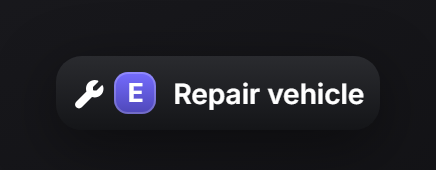
exports.of_ui:showText({ text = 'Repair vehicle', keys = 'E', icon = 'wrench' })Several keys in one row
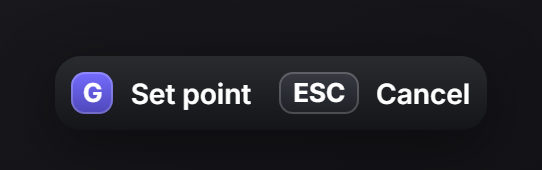
exports.of_ui:showText({
    actions = {
        { label = 'Set point', key = 'G' },
        { label = 'Cancel', key = 'ESC', alt = true },
    },
})
Stacked, with a heading
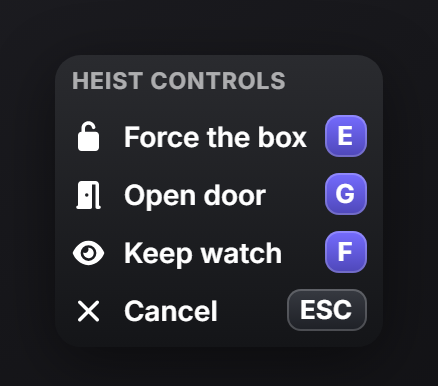
Give it a title and the prompt becomes a vertical control list, useful when an interaction has more than two or three keys.
exports.of_ui:showText({
    title = 'Heist controls',
    actions = {
        { icon = 'unlock',    label = 'Force the box', key = 'E' },
        { icon = 'door-open', label = 'Open door',     key = 'G' },
        { icon = 'eye',       label = 'Keep watch',    key = 'F' },
        { icon = 'xmark',     label = 'Cancel',        key = 'ESC', alt = true },
    },
})
title sets stack on its own, so you rarely pass layout. Pass layout = 'stack' explicitly if you want the vertical list without a heading, or layout = 'inline' to keep a heading on a single row.
Typical use
Show on enter, hide on exit, and hide it on resource stop too, or the prompt outlives your script:
local shown = false

CreateThread(function()
    while true do
        local coords = GetEntityCoords(cache.ped)
        local near = #(coords - vec3(24.5, -1347.3, 29.5)) < 2.0

        if near and not shown then
            exports.of_ui:showText({ text = 'Rob the register', keys = 'E', icon = 'cash-register' })
            shown = true
        elseif not near and shown then
            exports.of_ui:hideText()
            shown = false
        end

        Wait(250)
    end
end)

AddEventHandler('onResourceStop', function(resource)
    if resource == GetCurrentResourceName() then exports.of_ui:hideText() end
end)
Repeated showText calls with identical content are ignored, so calling it every frame in a loop costs nothing. Changing any label, key or icon does push the update.