
UI Library
Skill check
A timing minigame: press the shown key while the indicator is inside the highlighted arc. Blocking: it returns whether the player passed, so call it from a thread.
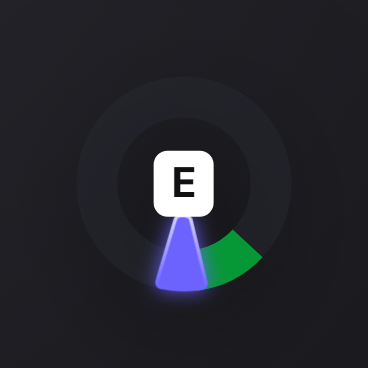
skillCheck
local success = exports.of_ui:skillCheck(difficulty, inputs)| Argument | Type | Description |
|---|---|---|
difficulty | string|table | One round, or an array of rounds. |
inputs | string[]? | Keys that may be asked for. Defaults to e. |
Returns true if every round was passed, false otherwise.
Difficulty
A preset name (easy, medium, hard) or a table for a custom one:
| Field | Type | Description |
|---|---|---|
areaSize | number | Size of the target arc in degrees. Bigger is easier. |
speedMultiplier | number | Indicator speed. Higher is harder. |
Examples
One easy round:
CreateThread(function()
    if exports.of_ui:skillCheck('easy') then
        TriggerServerEvent('lockpick:success')
    end
end)
Three rounds of rising difficulty, any of three keys:
CreateThread(function()
    local success = exports.of_ui:skillCheck({ 'easy', 'medium', 'hard' }, { 'e', 'f', 'g' })
    print(success)
end)
A round has to be passed for the next to start; failing any one ends the check immediately.
Custom difficulty:
exports.of_ui:skillCheck({ areaSize = 50, speedMultiplier = 1.5 })cancelSkillCheck
exports.of_ui:cancelSkillCheck()Cancels the running check from code. The waiting call resolves as a failure.
skillCheckActive
local active = exports.of_ui:skillCheckActive()Whether a check is running.
Notes
- One check at a time. A second call while one is running returns
nil. - Keyboard only. The check takes the keyboard but leaves the cursor alone.
- A leading label argument is accepted and ignored, so calls written against libraries that take one still work.